For freelancers & small businesses

Accounting software
you actually own.

One payment. No subscription. Your data stays on your computer — always.

CoreBooks dashboard
30-day money-back Mac + Windows No internet required
QuickBooks Simple Start

$38
per month
$456 / year
every year, forever
$2,280 over 5 years
CoreBooks

$149
one-time payment. no annual fee. ever.

Pricing based on QuickBooks Simple Start at $38/mo as of 2026. CoreBooks is not affiliated with or endorsed by Intuit Inc.

01 — Data Ownership

Your financial data lives on your computer. Not ours.

Every invoice, every transaction, every report — stored in a single file on your machine. Copy it to a USB drive. Back it up to anywhere. Move it when you switch computers. No one else has access to your numbers.

  • SQLite file at ~/Documents/CoreBooks/
  • Auto-backup on every launch — keep last 7 days
  • Manual backup to any location as a .corebooks file
  • Full data export: all CSVs + PDF reports in one ZIP
CoreBooks — ~/Documents/CoreBooks/
📁
backups/
7 items — last modified today
🗄️
data.db
SQLite database — your books
248 KB
📄
backup-2026-03-23.corebooks
CoreBooks backup — today
251 KB
📄
backup-2026-03-22.corebooks
CoreBooks backup — yesterday
248 KB
02 — Everything You Need

All the features. None of the bloat.

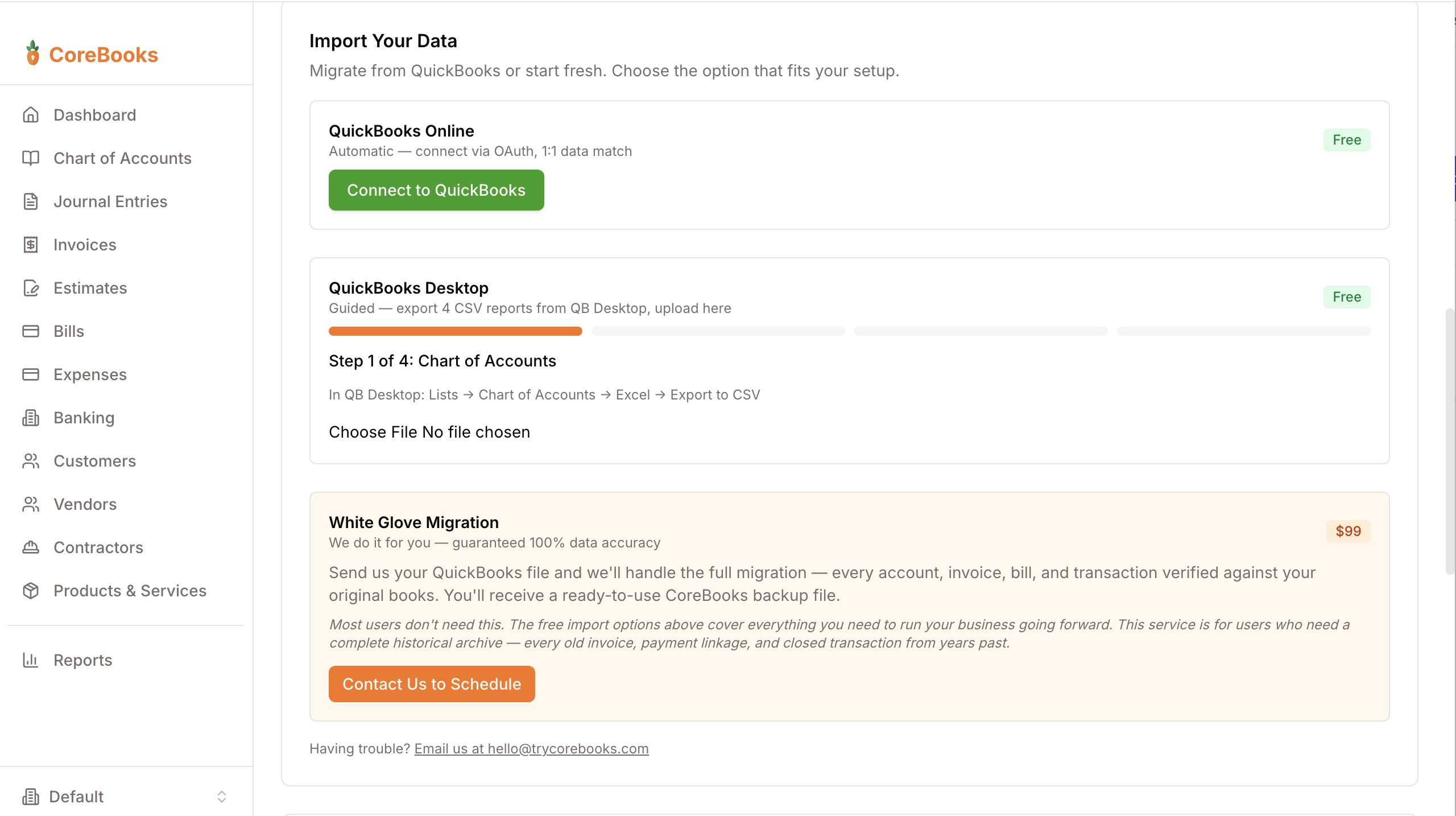
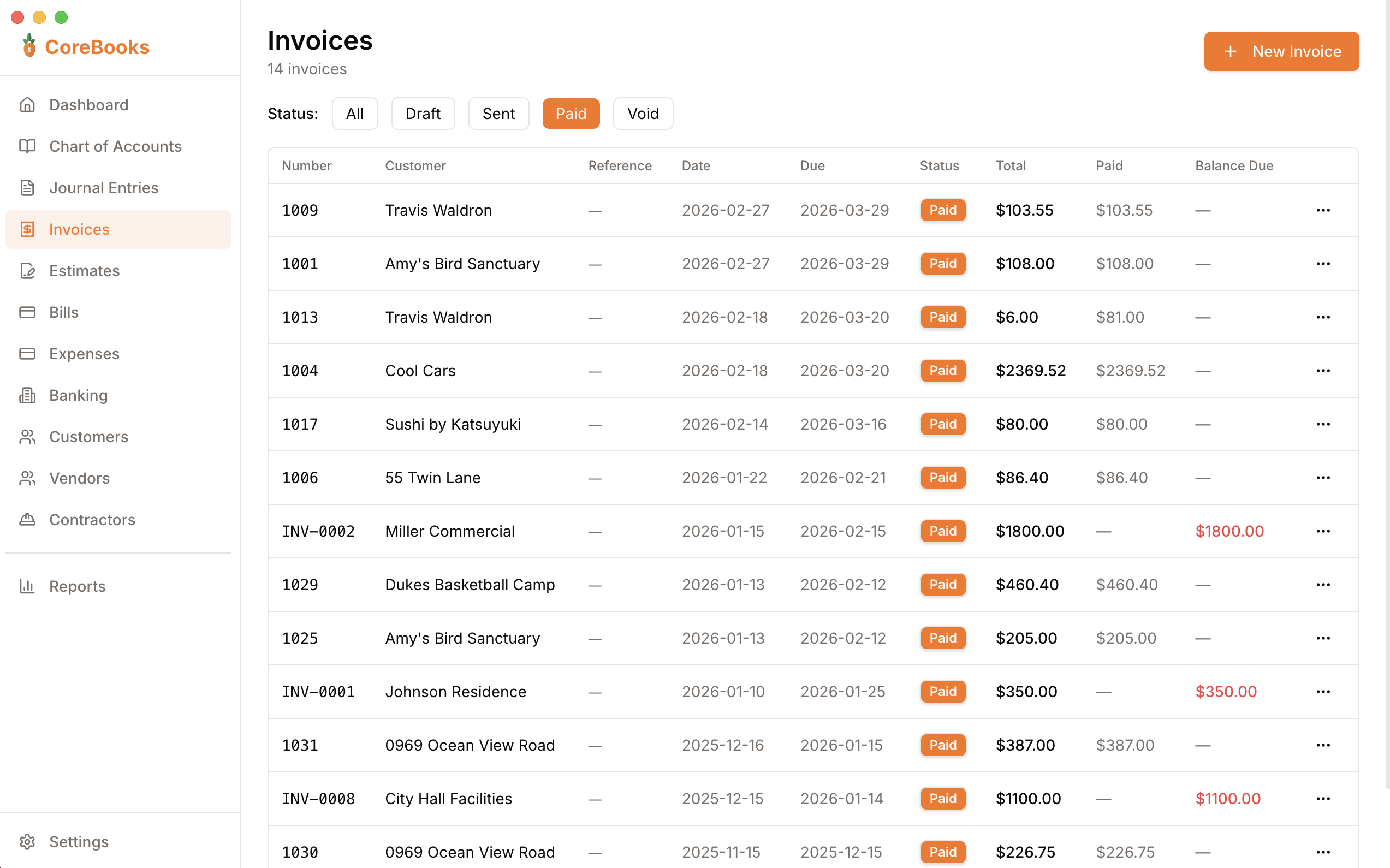
Invoicing, bills, expenses, bank reconciliation, profit & loss, balance sheet — everything a freelancer or small business needs. No payroll module you'll never use. No enterprise features padded into your tier.

  • Invoicing with line items, tax, and PDF export
  • Bills, expenses, and vendor management
  • Bank accounts, OFX/CSV import, reconciliation
  • P&L, Balance Sheet, AR & AP Aging, General Ledger
  • 1099 contractor tracking with threshold alerts
  • QuickBooks Online CSV import wizard
CoreBooks invoicing
03 — Works Offline

Works in the mountains. Works on the plane. Works when the cloud doesn't.

CoreBooks is a desktop app. It doesn't need an internet connection to open, to invoice a customer, or to pull a report. No "service unavailable" pages. No waiting for the cloud to respond.

  • Runs entirely on your machine — no server required
  • All data stored locally, never transmitted
  • Works in areas with no internet access
  • Auto-updates to keep you on the latest version
No Wi-Fi, No Problem
CoreBooks opened, loaded, and saved your invoice — 36,000 feet up.
CoreBooks running — offline
04 — Real Accounting

Double-entry bookkeeping under the hood. Simple UI on top.

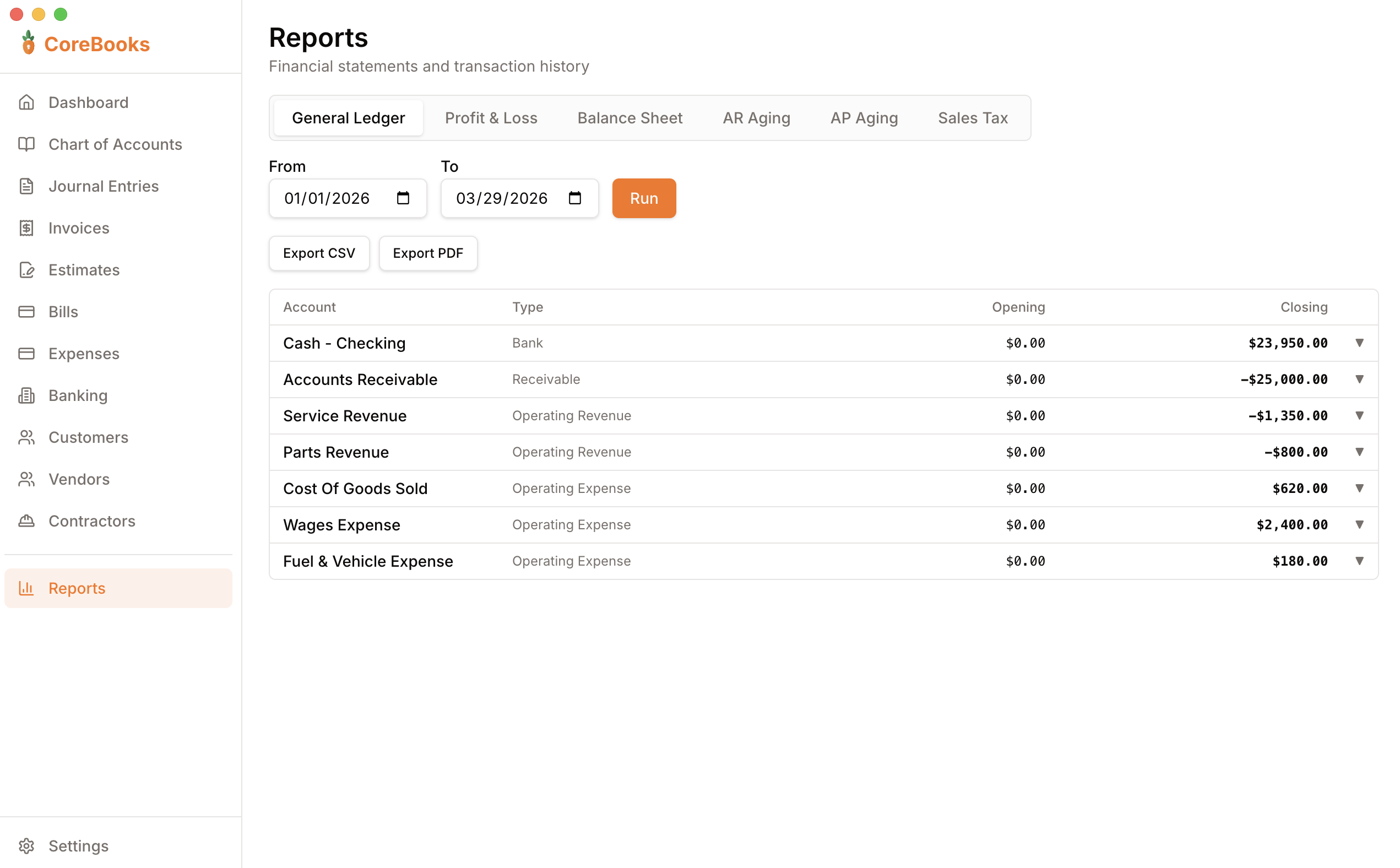
Every transaction posts a proper journal entry automatically. Your books are always balanced. Your accountant gets a real P&L and Balance Sheet at tax time — not a spreadsheet.

  • Chart of Accounts with full sub-account support
  • Proper debit/credit journal entries on every transaction
  • Audit trail — entries voided, never deleted
  • Export any report as PDF or CSV for your accountant
CoreBooks reports
Everything included

One price. Every feature.

No tiers, no add-ons, no "upgrade to unlock." Everything CoreBooks has is yours from day one.

Invoicing

Create professional invoices with line items, tax, and notes. Track status from draft to paid. Export as PDF.

Bills & Expenses

Enter bills from vendors, record payments, and track quick expenses with receipt attachments — all stored locally.

Banking & Reconciliation

Import bank statements via OFX, QFX, or CSV. Match transactions to your ledger and mark them reconciled.

Financial Reports

P&L, Balance Sheet, AR & AP Aging, General Ledger — all exportable to PDF and CSV. Give your accountant exactly what they need.

Customers & Vendors

Maintain a full contact list for customers and vendors. Payment history, billing address, outstanding balance — all in one place.

Double-Entry Ledger

Every transaction creates a proper journal entry automatically. Full audit trail — entries are voided, never deleted.

1099 Contractor Tracking

Log contractor payments, flag anyone who hits the $600 IRS threshold, and export a ready-to-file 1099 data report at year-end.

One-Click QuickBooks Migration

Export your data from QuickBooks Online and import it in one step — accounts, customers, vendors, invoices, and transactions come with you.

Write Checks

Record check payments from any bank account and print them on standard blank check stock. Check numbers auto-increment and post to your ledger automatically.

Multi-Invoice Payments

Apply a single customer payment across multiple open invoices at once. Partial applies, running balance, and outstanding totals — all handled correctly.

PO & Reference Numbers

Attach a PO number, job number, or contract ID to any invoice, bill, or expense. Unique per record and searchable — no more digging through PDFs to cross-reference.

Estimates & Quotes

Send professional estimates to prospects. Convert accepted quotes to invoices in one click — no re-entering data.

Overdue Invoice Reminders

See at a glance which invoices are past due and by how many days. AR aging keeps you on top of what you're owed.

Sales Tax Tracking

Apply tax rates to invoices and track collected sales tax separately. Export a tax summary at year-end for easy filing.

Backup & Restore

Auto-backup on every launch. Save manual backups as a portable .corebooks file and restore on any machine — schema migrations included.

15
core features included
6
financial reports
30-day
money-back guarantee
payment, forever
Pricing

One price. No tricks.

CoreBooks
$149
one-time payment

  • Mac + Windows
  • Free updates for all v1.x releases
  • 30-day money-back guarantee
  • No subscription, ever
  • Your data stays on your computer
  • Every feature — no tiers

Buy Now — $149
v2 upgrade pricing for existing customers: $49
Questions? Email [email protected]
FAQ

Common questions

Does it work without internet?
Yes. CoreBooks is a desktop app. After downloading, it never needs an internet connection to open, invoice a customer, or run a report.
Where is my data stored?
On your computer, at ~/Documents/CoreBooks/. It's a standard SQLite file you can copy, back up to Dropbox, or move to a new machine at any time.
What happens when you release updates?
All v1.x updates are free for every customer. When v2 ships, existing customers get upgrade pricing ($49 vs $149). You'll never be forced to upgrade.
Can I import from QuickBooks?
Yes. CoreBooks includes a guided import wizard for QuickBooks Online CSV exports — accounts, customers, vendors, invoices, and transactions. OFX and QFX bank feed files are also supported.
Is it really one-time? No hidden fees?
Really. $149 once. No monthly fee, no annual renewal, no "your plan has expired" emails. You own the software.
What if I don't like it?
30-day money-back guarantee, no questions asked. Email [email protected] and we'll refund you the same day.
Does it work on Mac and Windows?
Yes. CoreBooks runs on macOS 12+ and Windows 10/11. Both platforms get the same installer and the same features.
What does my accountant get at tax time?
Export your P&L, Balance Sheet, General Ledger, or any report as a PDF or CSV and send it directly. No accountant login required. CoreBooks also generates a 1099 contractor report for year-end filing.

Stop renting your
accounting software.

Buy once. Keep forever.

Buy CoreBooks — $149
30-day money-back guarantee  ·  Mac + Windows